
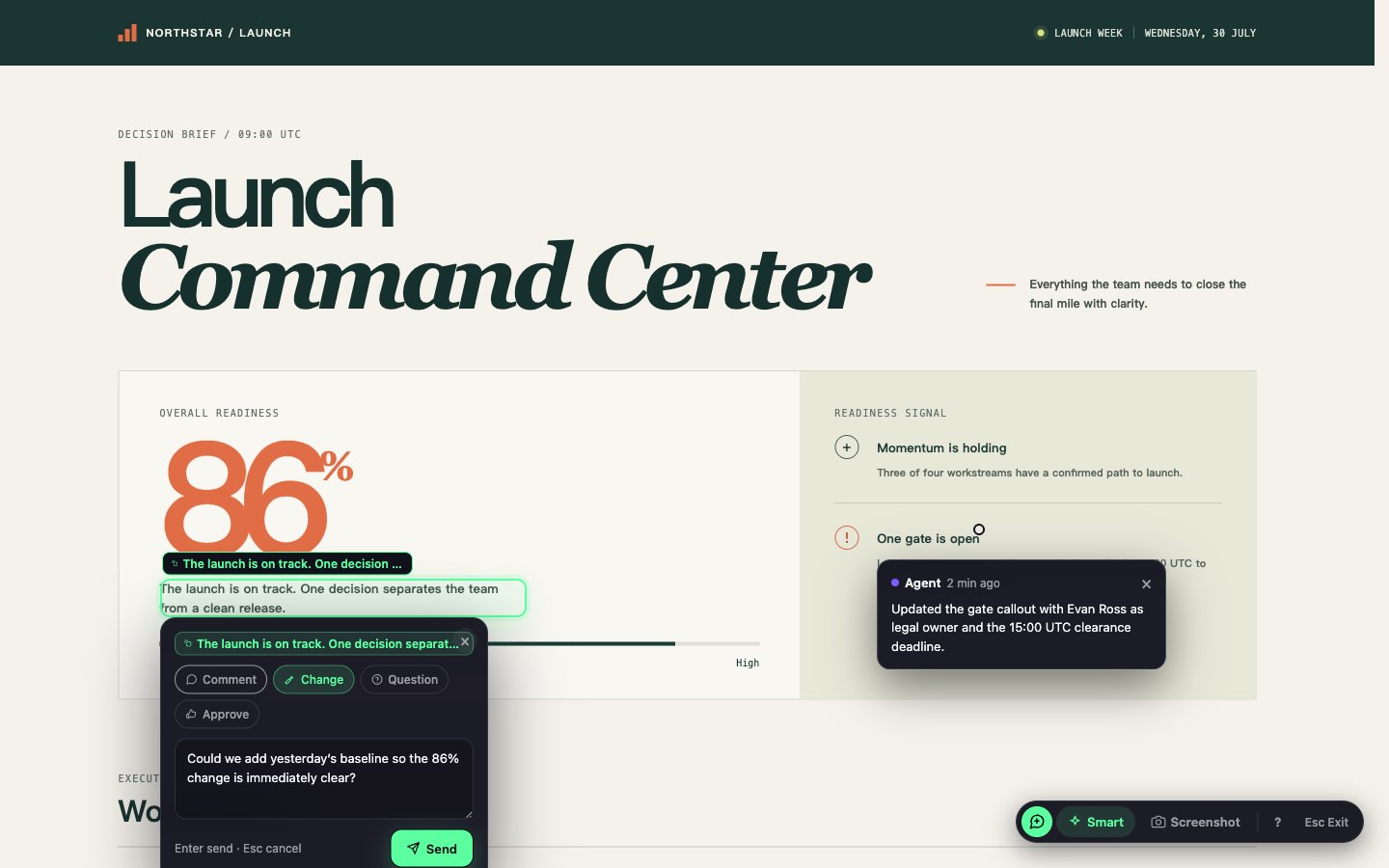
Text is a narrow channel. Show Pages let your agent show you something: a dashboard, a diagram, a diff, a report, or a small interactive app — a real web page, generated for the task at hand and reachable from your phone.

How it works

  • Each Agent Session gets one canonical Show Page.
  • The agent writes a small web app (React/Vite) into a local, session-scoped directory on your machine.
  • Avibe serves it through a managed runtime and gives you a URL — reachable from anywhere through the same vibe remote tunnel.
  • The page hot-reloads as the agent edits it, so what you’re looking at stays current.
  • You control visibility: keep it private, publish a shareable link when you want one — and give that public link a custom, memorable suffix (e.g. /p/q3-roadmap/) instead of a random one — or take it offline.

What the agent can build

A Show Page is a real front-end, so the agent reaches for the right tool for the job:
  • Diagrams and flowcharts (Mermaid), mind maps (Markmap), node graphs (React Flow).
  • Charts and metric dashboards.
  • Side-by-side comparisons, diffs, and decision tables.
  • Small interactive explainers and clickable prototypes.

When it helps

  • A plan, architecture, or migration that lands better as a diagram than a wall of text.
  • A metrics dashboard or comparison you want to inspect, not scroll past.
  • A review or report you’d rather click through than read top to bottom.

Pin it to the Dock

A Show Page is really an app your agent built for you — so you can keep it around like one. In the Workbench, open the same controls where you set visibility and flip Pin to Dock: the page joins your apps, gets its own tile, and opens in a window you can move, resize, and leave running beside your chat. Pinning is independent of visibility — a private page can still be pinned — and it never publishes or deletes anything. From there it behaves like any other app: reorder or undock it, open it with ⌘K or a keyboard shortcut, give it an icon, and reach it from your phone. See Apps & the Dock for the full story.

Point at what you see

A Show Page isn’t one-way. Turn on annotation and you can click an element, box a region, or mark up a screenshot right on the page, add a word, and send it to your agent — which can answer on the page, pinned next to what you pointed at. See Annotating Show Pages for the full loop, including public-link permissions.

You can just ask

You don’t invoke Show Pages by hand. Ask for the outcome — “draw me the request flow”, “put the options in a comparison table”, “show the migration as a checklist” — and the agent decides a page beats a paragraph, builds it, and sends you the link. It’s the same instinct behind constraints are features: when text won’t do, show it. The page lives on your machine; avibe.bot only carries the tunnel.