
Your AI partner lives on your own machine
Avibe is the local-first Agent OS. One command turns your machine into a home for your AI partner — driving the official Claude Code, Codex, and OpenCode you already use — and you reach it from your browser or any chat app while your code and Agent runtime stay at home.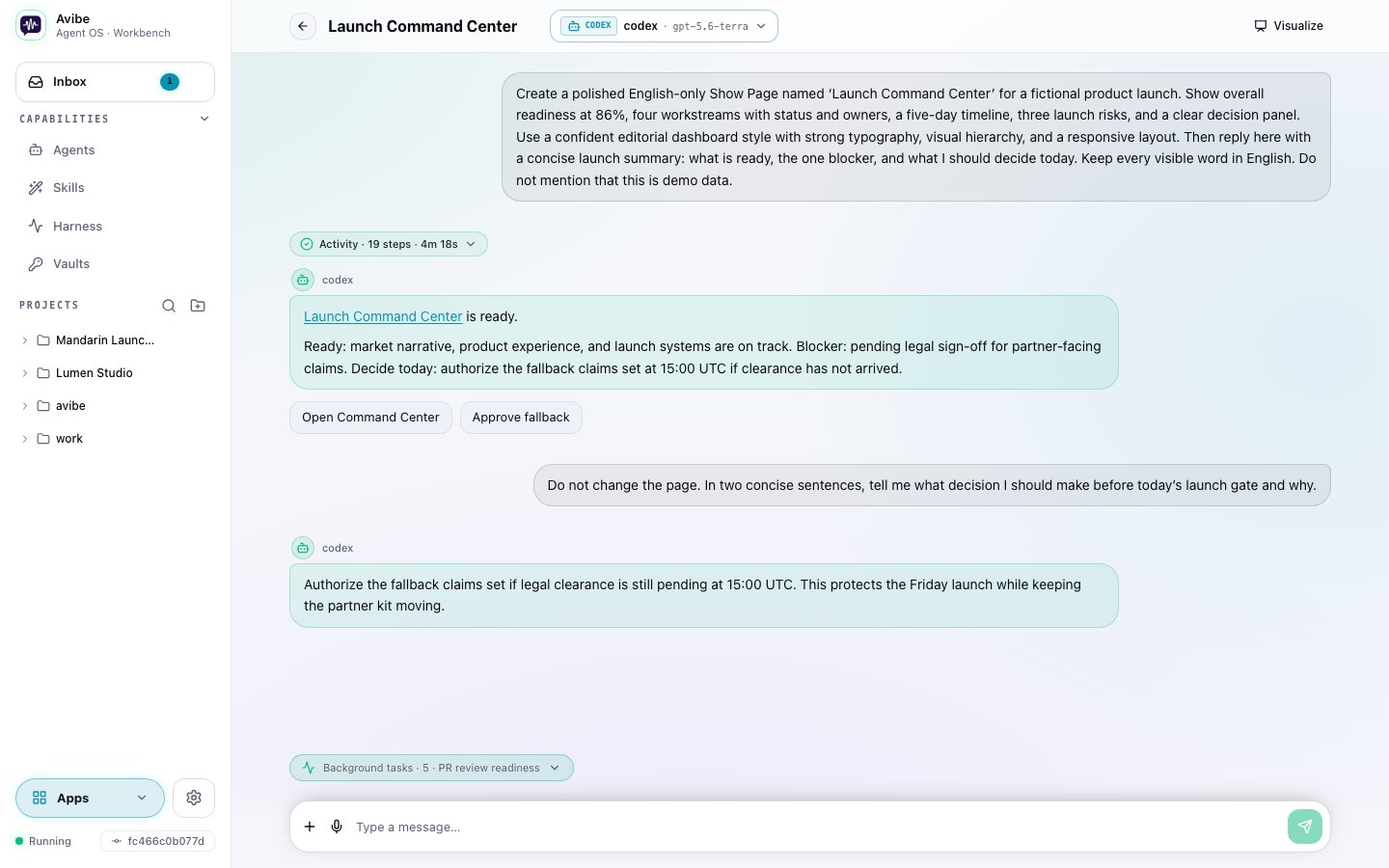
What Avibe is
Avibe is not an agent framework, not a hosted coding VM, and not a middleman that sits between you and your agent. It is the operating layer your agent lives in:- Local-first, and yours. Your AI partner, its execution, and its local state stay on your own machine. The boundary inventory shows every network path available in each mode.
- One substrate, every first-party agent. Drive the official Claude Code, Codex, and OpenCode through a single Harness — bring your own subscription or keys, switch per task, never locked into one vendor’s silo.
- Operate it from anywhere. A browser Workbench — installable as a desktop or mobile app, with push notifications — plus Slack, Discord, Telegram, WeChat, and Lark are all first-class ways to talk to it.
- It keeps its own timeline. The Agent Harness lets your partner schedule work, wait for conditions, run jobs in the background, and come back with results.
- Vault responses never reveal secret values. Vaults let Agents request and use Standard credentials by name, with explicit safeguards for command output. The Protected passkey flow is a pre-launch preview.
- It can show, not just tell. Show Pages let the agent hand you a live page — a dashboard, a diagram, a report — reachable from your phone.
Avibe is built with Avibe — developed end-to-end on its own runtime, steered from the browser and the phone, at the desk or away from it.
The Agent Harness
Avibe gives agents a few durable primitives: run one job, schedule a time trigger, watch a condition, and inspect run history. In practice, you can ask in plain language:- “Watch this PR and come back when there is actionable review feedback.”
- “Check deployment health every weekday morning and post the summary here.”
- “Start a separate investigation session for this incident and report back to this channel.”
Meet Vibey
 Lives in your Slack, Discord, Telegram, Lark, or WeChat. Reads the room. Picks up where you left off. Asks the right question when it’s not sure. Goes quiet when you’re heads-down. Ships at 2am because that’s when the vibe hits — then leaves a note about what it touched.
Avibe is the home. Vibey is the colleague who lives in it.Forgets nothing. Holds opinions. Says thanks when you fix its bugs.
Install in one command
Common paths
- New to Avibe: start with Quickstart.
- Want the model first: read What is Avibe.
- AI assistant helping a user install: use Install for AI agents.
- Choosing a chat platform: start with Slack, Discord, or Telegram.
- Reach your Avibe from your phone or a remote server: read Remote UI.
Source
Avibe is open source:- GitHub: avibe-bot/avibe
- Product: avibe.bot